Lesson 11 · Send
Send a test, then a campaign
Test your email, pair it with your lists, send it now or schedule it, and follow every email as it goes.
Revision 1 · 21 November 2026About 10 minutes
In this lesson
- Send a test to yourself and your team
- Set up a campaign: design, lists and timing
- Follow the progress, errors and bounces
- Resume a campaign that stopped
Send a test
Always send a test first. Click Send test on the ribbon, enter your address in Send to (several addresses: separate them
with ;, up to 10), and choose whose details to fill the fields with in Fill fields as. MailCrafter warns you about anything
missing, such as a subject line.
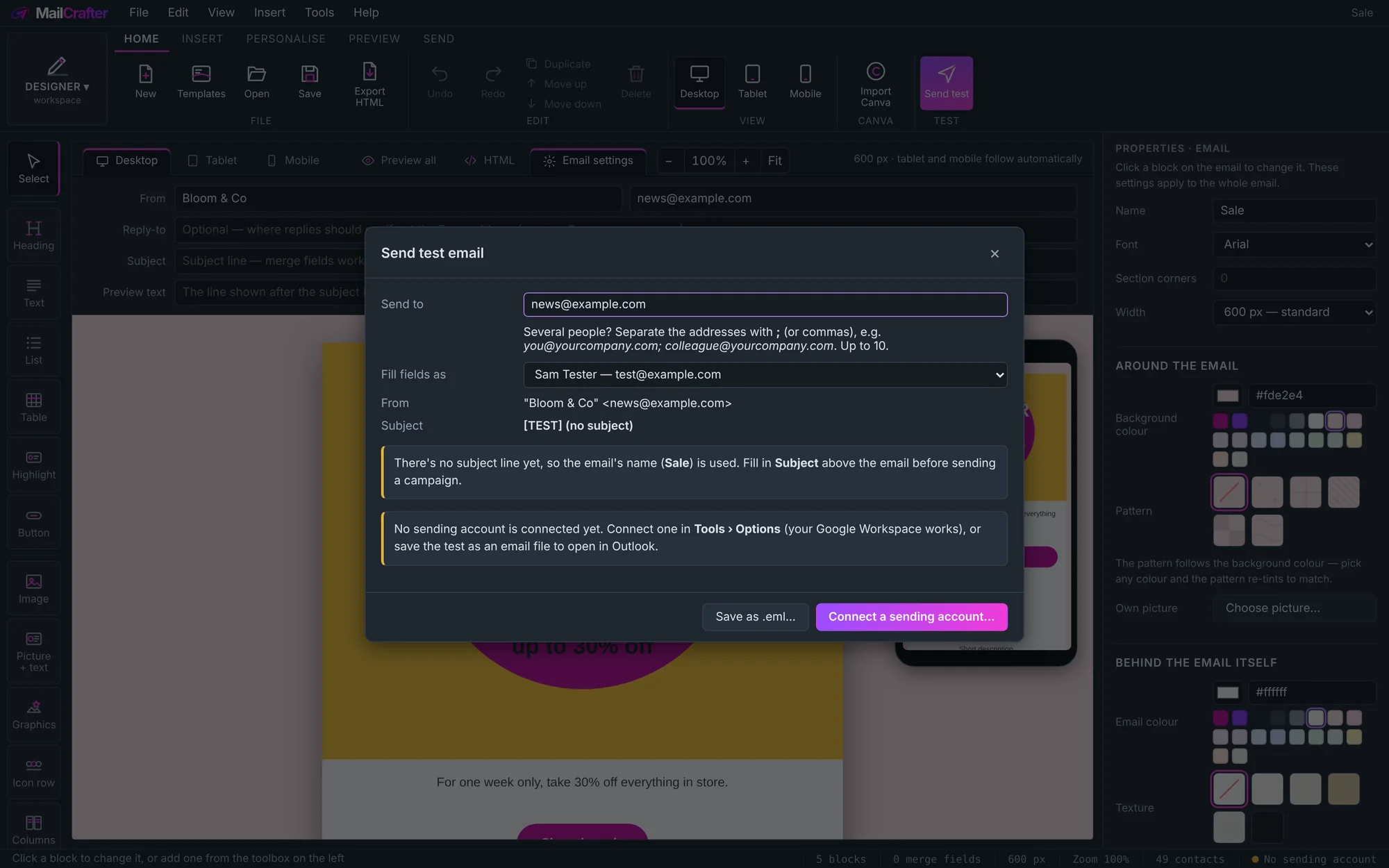
Open the test on your phone and in Outlook if you can. Test emails have [TEST] in front of the subject.
Set up the campaign
- Open Campaigns and click New campaign.
- Design: choose the email. You see a preview, its subject and who it's from.
- Mailing lists: tick the lists to send to. MailCrafter counts the unique recipients, leaving out anyone unsubscribed, bounced or excluded, and anyone in two lists gets it once.
- When to send: Send now or Schedule for a date and time. Tick Send in waves if your domain is new to sending, so inboxes get used to it gradually.
- Check Before it goes: design has content, subject set, recipients chosen, unsubscribe link, From address and sending account. Then click Send now.
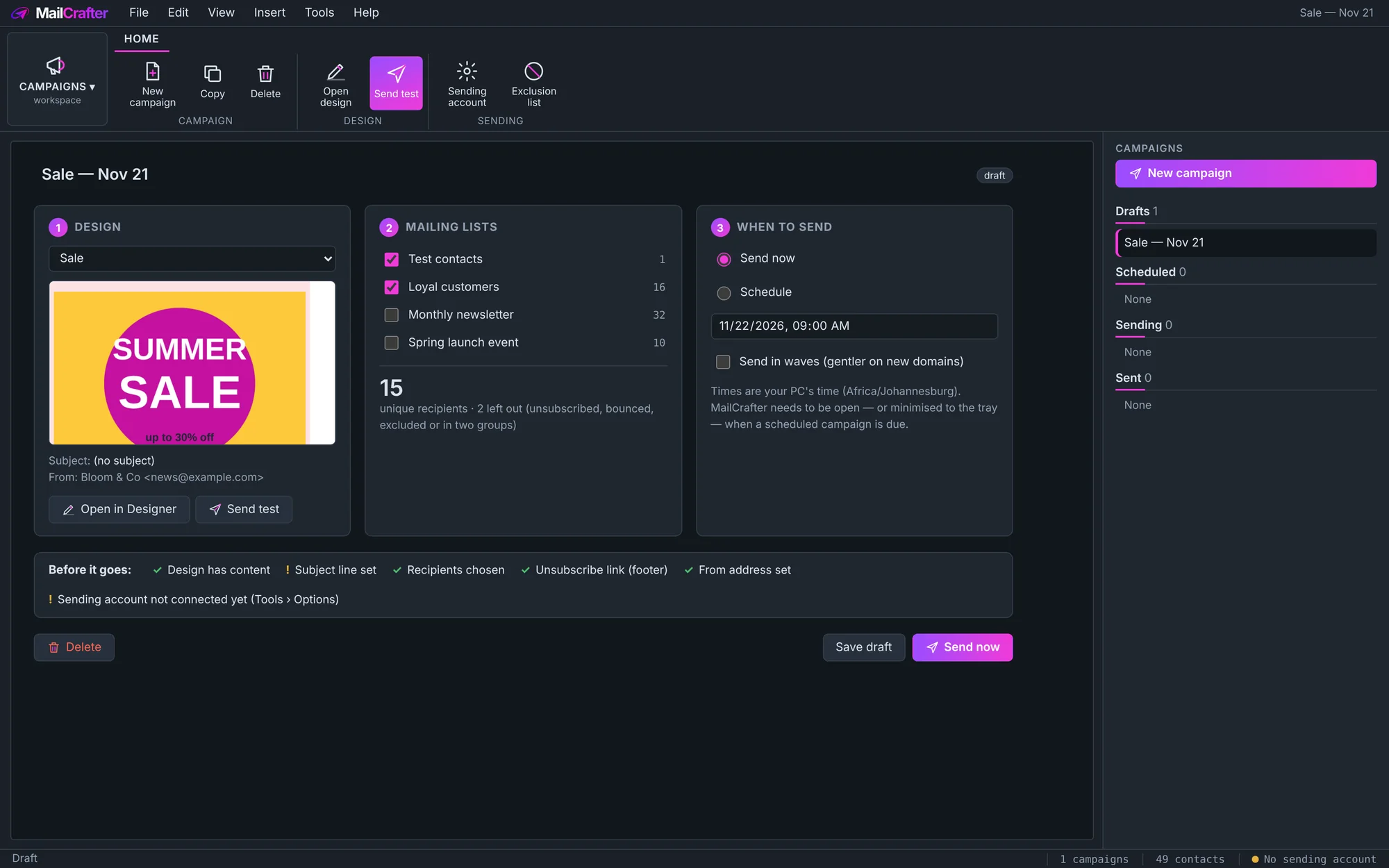
Scheduled times are your PC's time. MailCrafter needs to be open, or minimised to the system tray, when a campaign is due.
Follow it
While a campaign sends you see how many are Sent and Queued, and any Errors, Hard bounces and Soft bounces, with an activity log underneath.
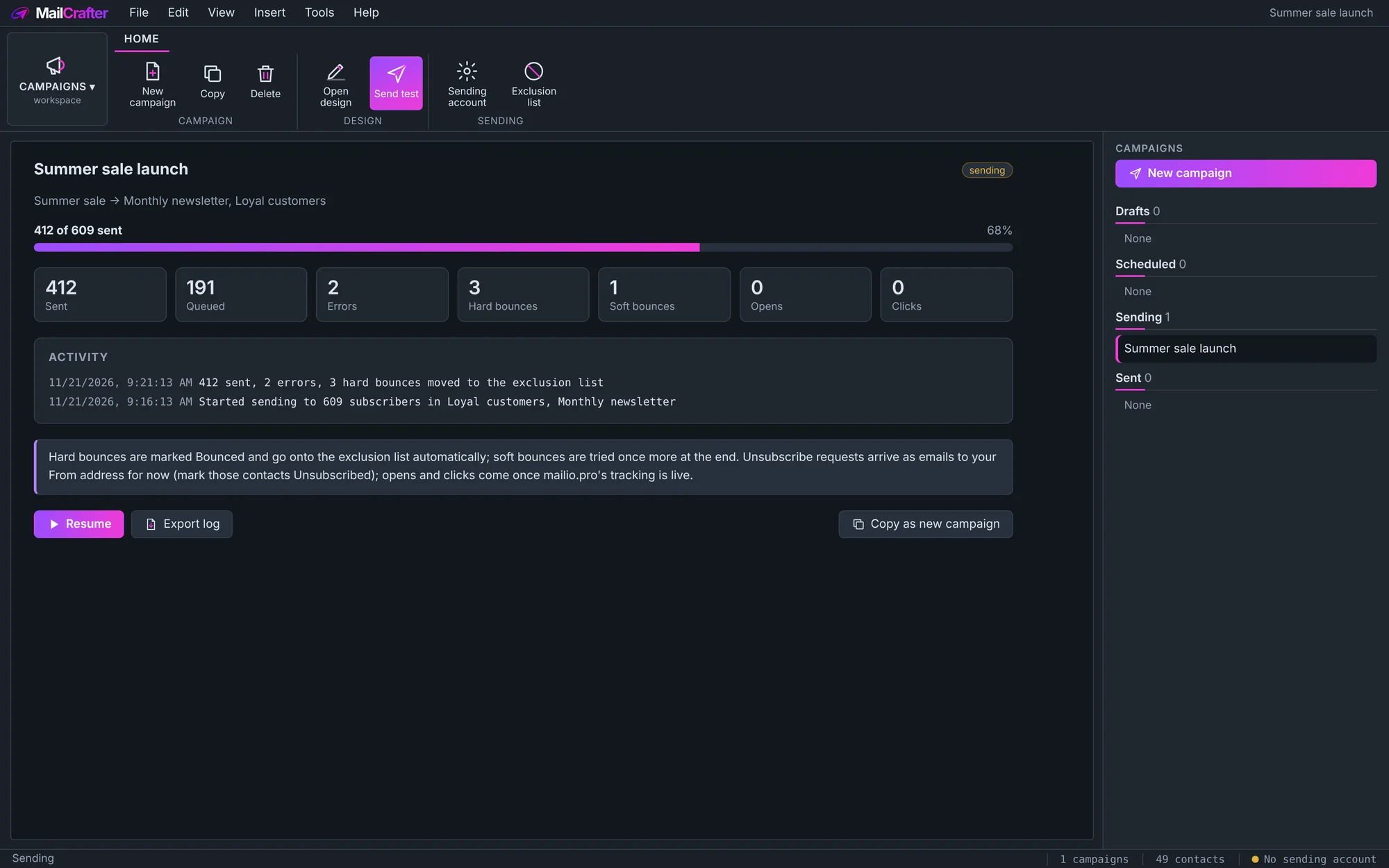
- Hard bounces (the address doesn't exist) go to the exclusion list automatically.
- Soft bounces (a full mailbox, a busy server) are tried once more at the end.
- Unsubscribe requests arrive as emails to your From address for now; mark those subscribers Unsubscribed in Mailing lists.
- If MailCrafter was closed mid-way, open the campaign and click Resume: it carries on from where it stopped, without sending anyone a second copy.
- Export log saves the record; Copy as new campaign starts the next one with the same settings.
Try it. Make a list called "Test" with your own addresses, and send it a real campaign before you send to customers.
Revision history
| Revision | Date | What changed |
|---|---|---|
| 1 | 21 November 2026 | First edition. |