Design it. Personalise it.
Send it.
MailCrafter puts a design studio, your mailing lists and campaign sending in one desktop app. Make emails that look like your brand, send them to thousands, and keep every list on your own computer.
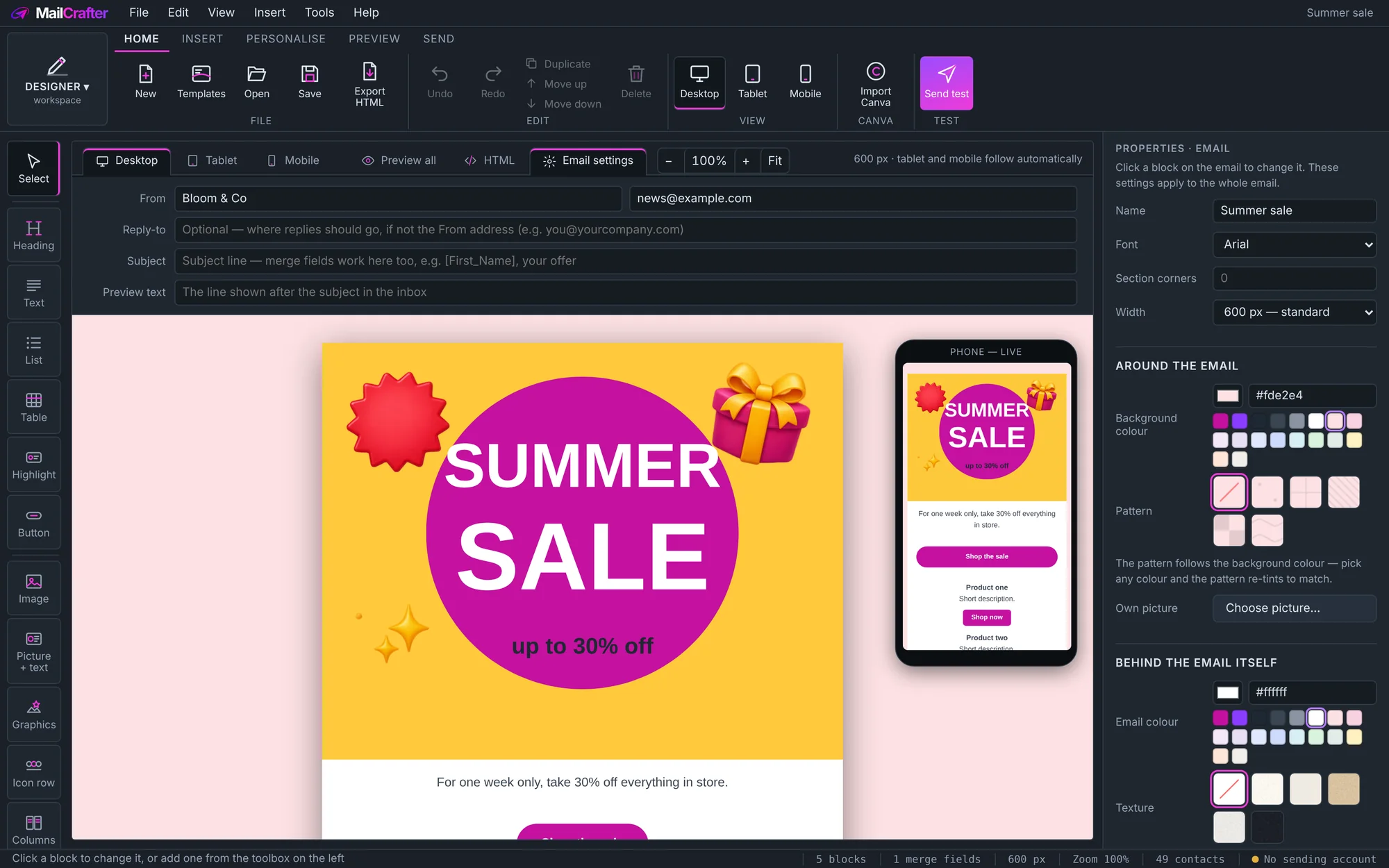
Design on the desktop view; the phone preview beside it follows as you work.
From spreadsheet to inbox in three steps
Bring in your mailing lists
Drop in an Excel file or CSV, or paste rows from anywhere. MailCrafter recognises the columns and tidies the data for you.
Design the campaign
Start from a template or a blank page, build it the way you'd build a poster, and personalise it with each subscriber's details.
Send and follow it
Choose the lists, send now or schedule it, and watch every email go: delivered, queued, errors and bounces.
Canva-style design, in an app that also sends
Design tools stop at a picture you have to take somewhere else to send. Bulk mailers stop at a plain template. MailCrafter gives you real design freedom, built from the ground up for email, and sends it too.
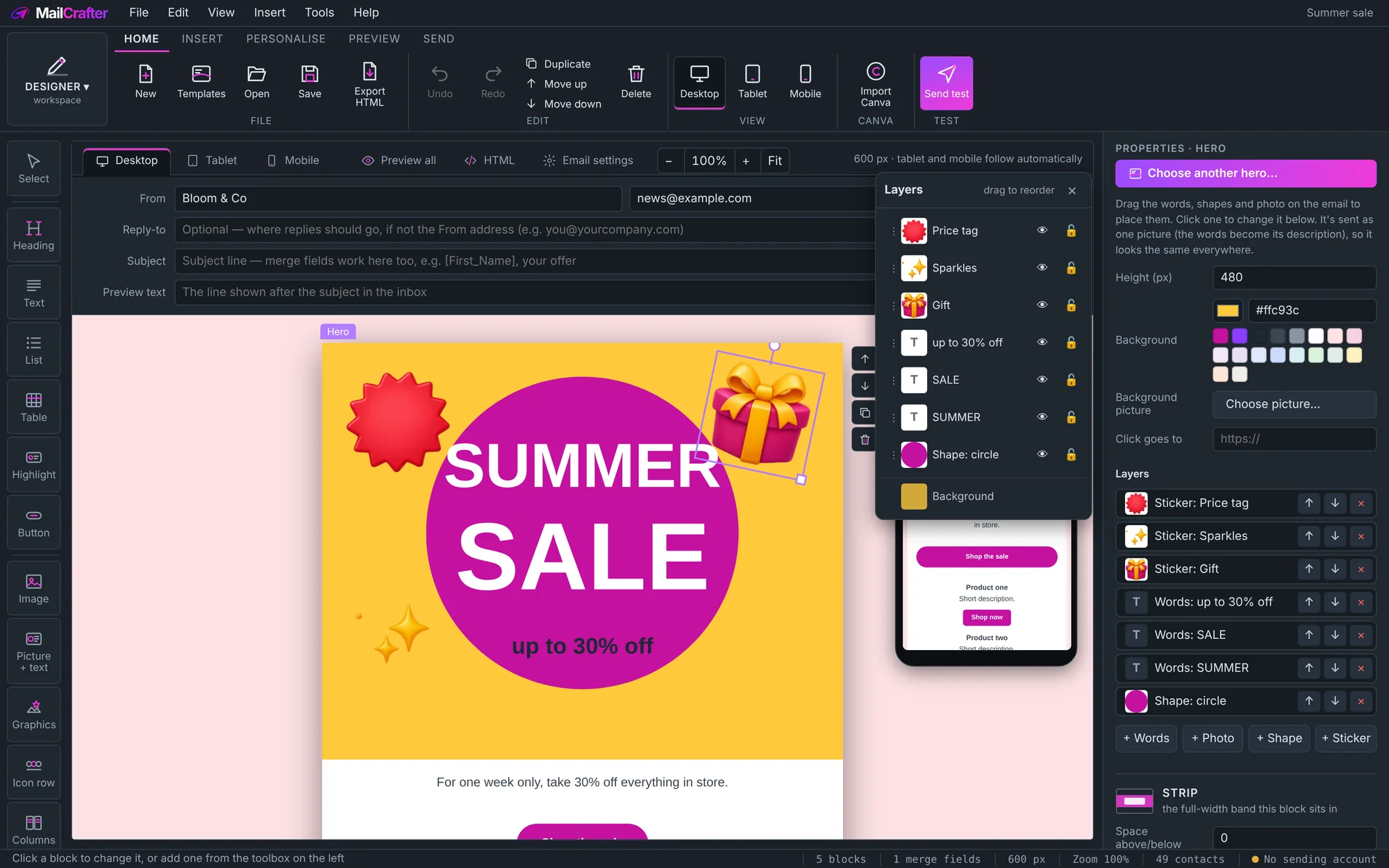
Layers, like a design app
- Hero banners made of layers: photos, headlines, shapes and stickers you drag, rotate, resize and stack
- Bring to front, send to back, lock and hide, in a Layers panel
- Merged into one sharp picture when you send, so the layout holds in every inbox, Outlook included
- Import a Canva design and carry on in MailCrafter
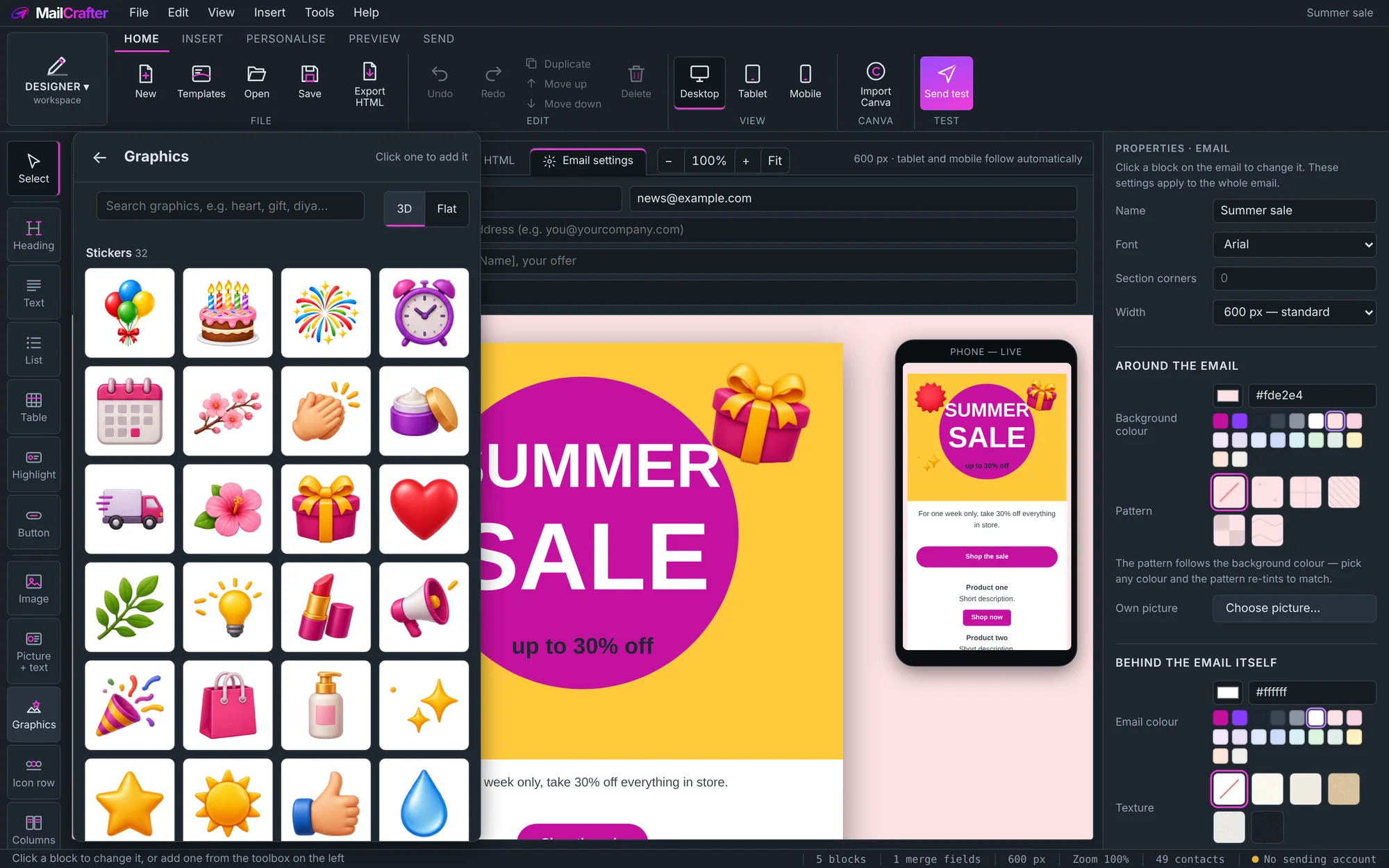
Everything a campaign needs, built in
- Ready-made blocks: headers, footers, columns, buttons, tables, highlights and icon rows, each with a gallery of styles
- Hundreds of graphics in 3D or flat, with holidays for every faith and animated stickers
- Text you control: fonts, sizes in points, spacing, lists, links and a highlighter
- Phones and tablets laid out for you as you design
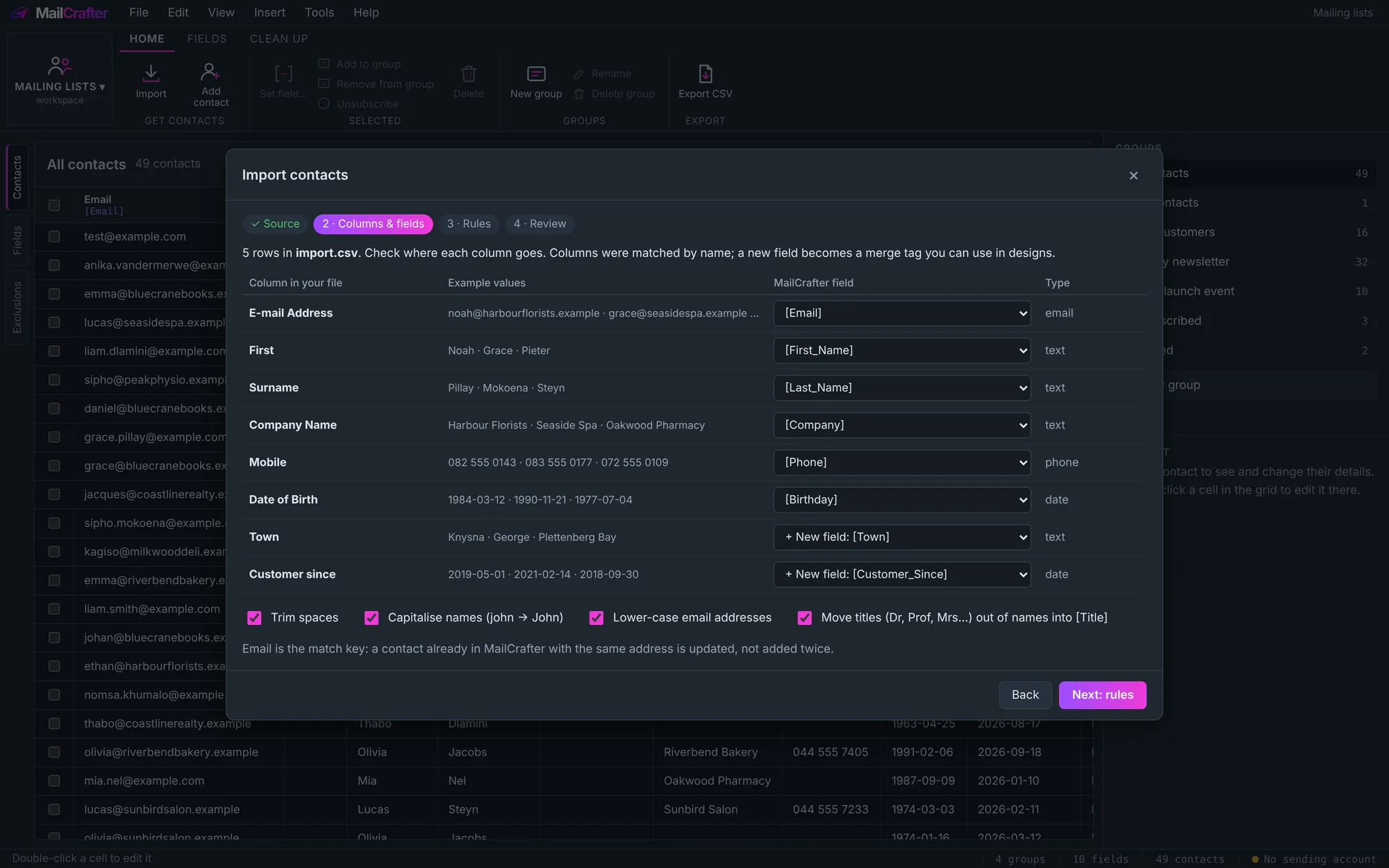
Your lists, from whatever they're in
No reformatting your spreadsheet to suit the software. If you can open it, MailCrafter can read it.
- Any Excel file, from the old
.xlsto today's.xlsx, plus CSV and text files - Or just paste: copy rows out of Excel, Access, your accounting system or a web page
- Columns matched for you: "E-mail Address", "Surname" or "Mobile" land in the right place, and new columns become new fields
- Tidied as it comes in: spaces trimmed, names capitalised, titles moved into their own field
- Checked before anything changes: you see what's new, updated and skipped; existing subscribers are updated, never doubled
- Save it once, repeat it in one click next month
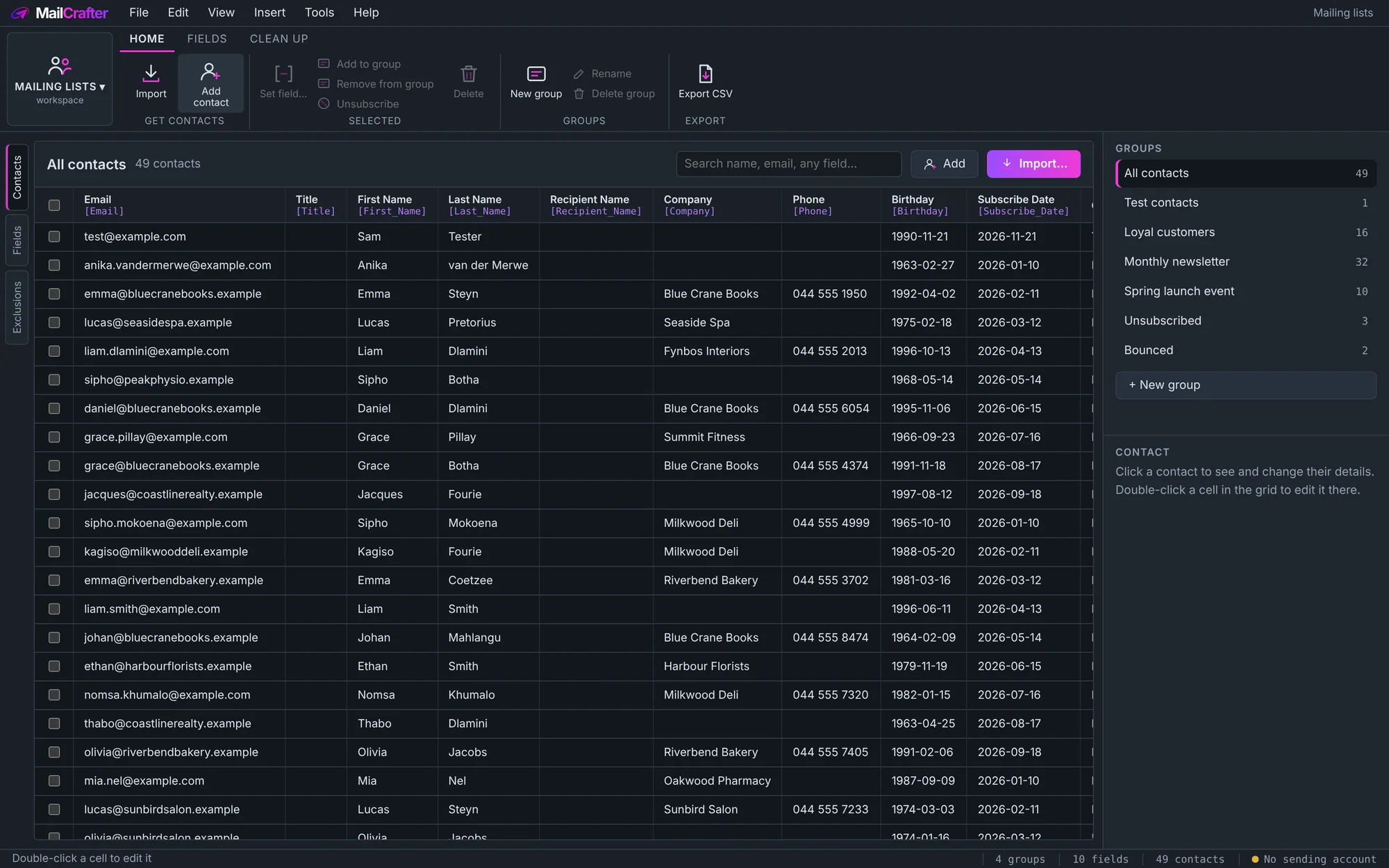
Every list in one place, every email personal
Customers, newsletter readers, event guests: keep them in lists, with whatever details matter to your business.
- Your own fields, used as merge tags:
[First_Name],[Company|your team],[Birthday|d MMMM] - Edit in place, like a spreadsheet, and search across every field
- One subscriber, many lists, without duplicates
- An exclusion list, so people who unsubscribe or bounce are never mailed again
- A record of consent: how each person agreed to hear from you
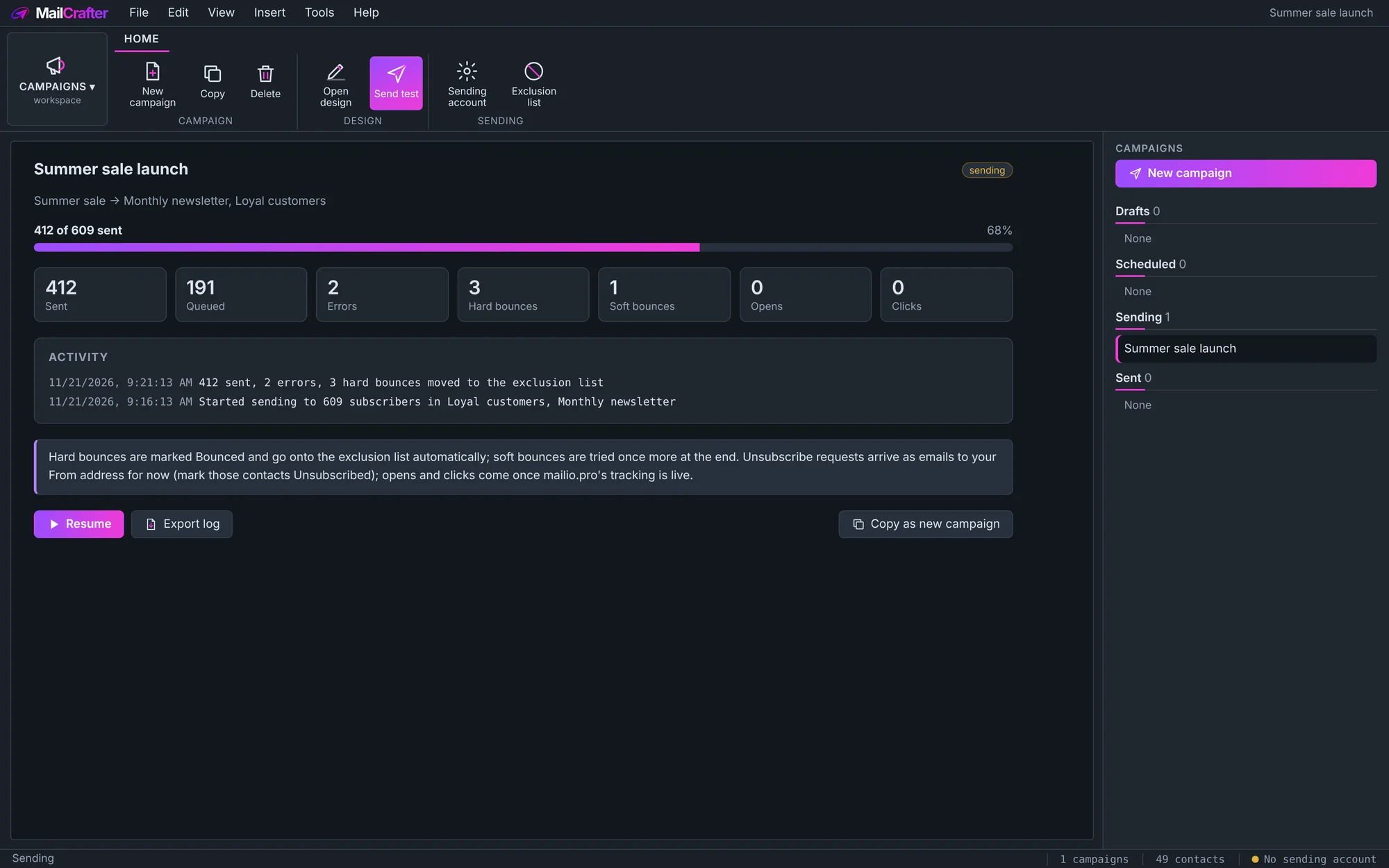
Send it, then see what happened
Pair a design with your lists, choose when it goes out, and follow every email.
- Send a test to yourself and your team first
- Schedule it, or send in waves while a new domain builds its reputation
- Progress as it sends: sent, queued, errors and bounces
- Bounces handled: hard bounces go to the exclusion list, soft ones are tried again
- Through your own account: Google Workspace or Gmail, Brevo, Amazon SES, Mailjet or any SMTP server
How MailCrafter compares
Most email platforms charge every month, and charge more as your list grows. MailCrafter is free to use, whatever the size of your lists.
| MailCrafter | MailchimpEssentials | Constant ContactLite | MailerLiteComfort | BrevoStarter | CanvaPro | Atomic Mail Sender | |
|---|---|---|---|---|---|---|---|
| Price, smallest list | Free$10 donation suggested | $13 / month500 contacts | $12 / month500 contacts | $12 / month500 subscribers | $9 / month5,000 emails | $144 / year | $89.90once, per PC |
| Price with 2,500 subscribers | Free | about $45 / month | $50 / month | $33 / month | $25 / month15,000 emails | n/a | $89.90 once |
| Sends bulk campaigns | Yes | Yes | Yes | Yes | Yes | No: design only | Yes |
| Layered, Canva-style design | Yes | Drag-and-drop blocks | Drag-and-drop blocks | Drag-and-drop blocks | Drag-and-drop blocks | Yes | Basic editor |
| Your lists stay on your computer | Yes | Cloud | Cloud | Cloud | Cloud | n/a | Yes |
| Open and click reports | Coming | Yes | Yes | Yes | Yes | n/a | Yes |
| Automated email series | Scheduling only | 1-step | 1 template | Yes | Up to 2,000 subscribers | n/a | – |
| Sending included | Uses your account* | Yes | Yes | Yes | Yes | No | Uses your account |
* MailCrafter sends through an email account you already have, such as Google Workspace (within its daily limit), or a sending service such as Amazon SES, at about $0.10 per 1,000 emails. Competitors' prices are their published US-dollar prices with monthly billing, checked in November 2026; they change often, so check each provider before you decide.
The details that make a campaign look professional
Email programs all show emails a little differently. MailCrafter does the hard parts so your campaign arrives the way you designed it.
Phones and tablets
Design once on the desktop view. Columns stack and buttons widen on phones by themselves.
Outlook taken care of
Rounded corners, layered banners and backgrounds are prepared so classic Outlook shows them too.
Dark mode
Keep the email as designed, or choose your own colours for readers who use dark mode.
Pictures hosted for you
Pictures are put online once, so your emails stay small and load fast.
Unsubscribe built in
Every email carries an unsubscribe link, and an unsubscribe header so inboxes can show their own Unsubscribe button.
Your data stays yours
Lists, designs and campaign records are kept on your PC, not in someone else's cloud.
MailCrafter 0.41 beta
21 November 2026
Your next campaign starts here
Free to use. If MailCrafter earns its place in your business, a $10 donation keeps it growing.